Reminders
Creating Reminders
Setup reminders to remind you of important upcoming tasks.
Creating Reminders
You can create reminders by clicking the Reminder button in the title bar

Then click the Add button on the bottom right and fill out the details in the form.
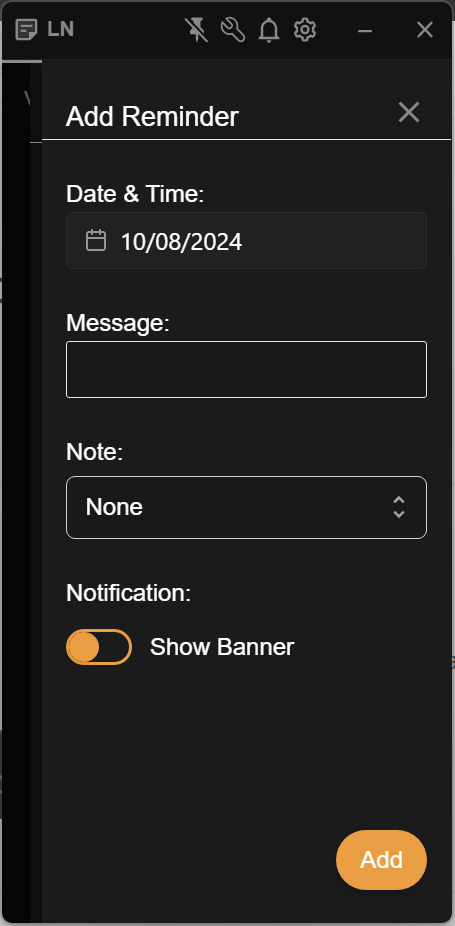
Set the date and time for your reminder to be presented in the first box.
In the second box, add a message that will be displayed in the notification.
In the third box, you can select a note. If you do, then when you click the Windows notification, you will automatically be taken to the selected note.
The last tick box allows you to have a banner display within the notes app as well as the windows notification, in case you miss it. The banner will display until either the app is closed or the banner is dismissed.
Deleting Reminders
Once created, a reminder can be deleted by click the Reminders icon in the titlebar and clicking the trash can icon next to the reminder in the list.
Once a reminder has passed it's reminder date, it remains until it is deleted. As long as it exists after the date has passed, you will see an indicator on the reminder icon.